Point of Sale
Sell items in person and attach the sale to a reservation
Point of Sale
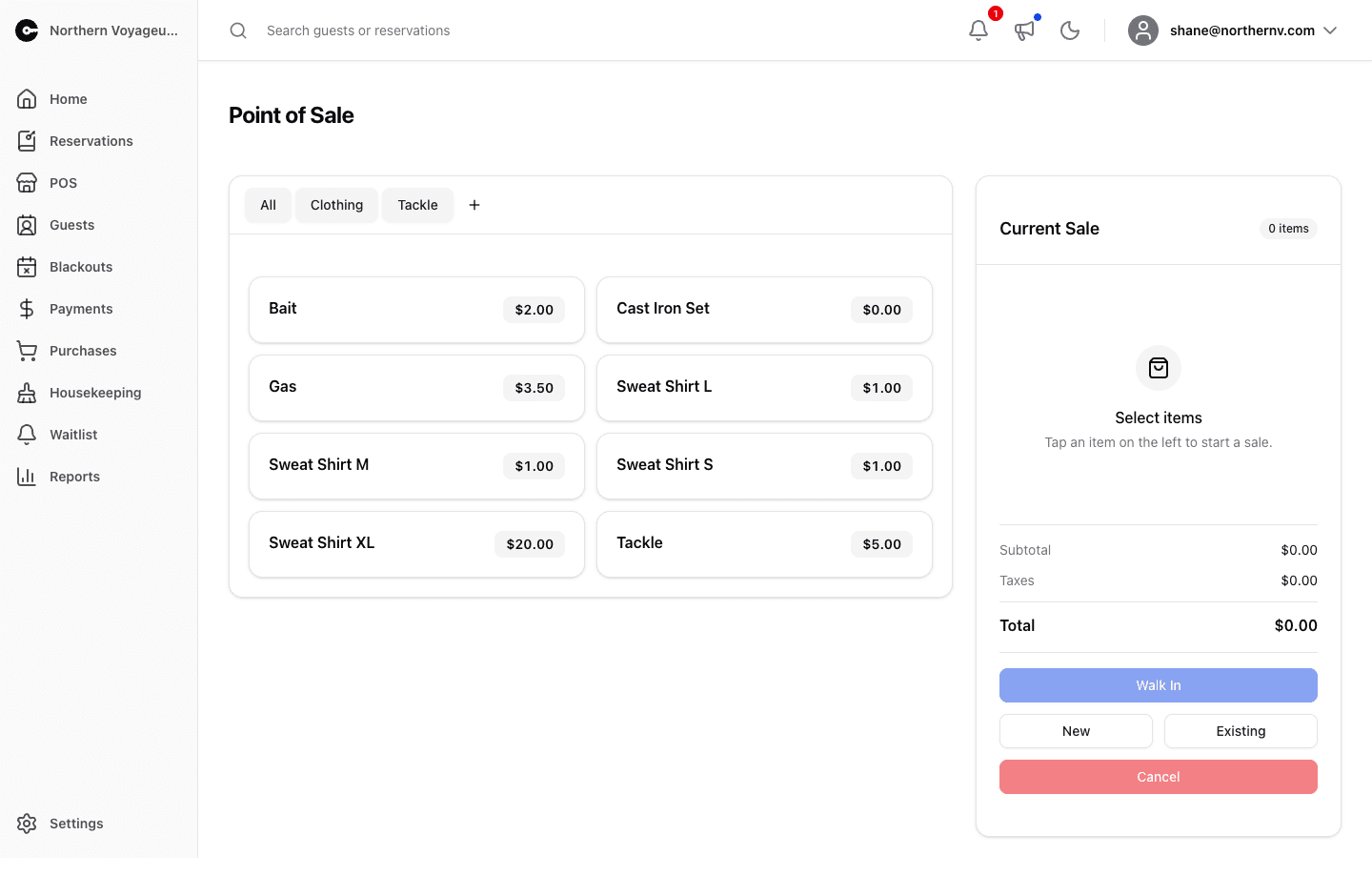
Ring up in-person sales of your sale items — bait, firewood, ice, gift shop stock — and attach the sale to the right guest.
Tap items on the left to build the Current Sale. Items are grouped using your sale item groups, and you can adjust quantity and unit price per line. Subtotal, taxes, and total update as you go.
Once the sale has at least one item, choose where it lands:
- Walk In — record the sale against the property’s walk-in guest. Available once a walk-in guest is configured for the property.
- New — search for a guest or create a new one, then start a reservation from this sale.
- Existing — attach the items to an existing reservation. On Premise Today lists reservations with a unit stay or add-on that includes today, or search for any reservation.
Selecting a guest or reservation completes the sale immediately, so build the item list first.